 Calenn
Change the appearance
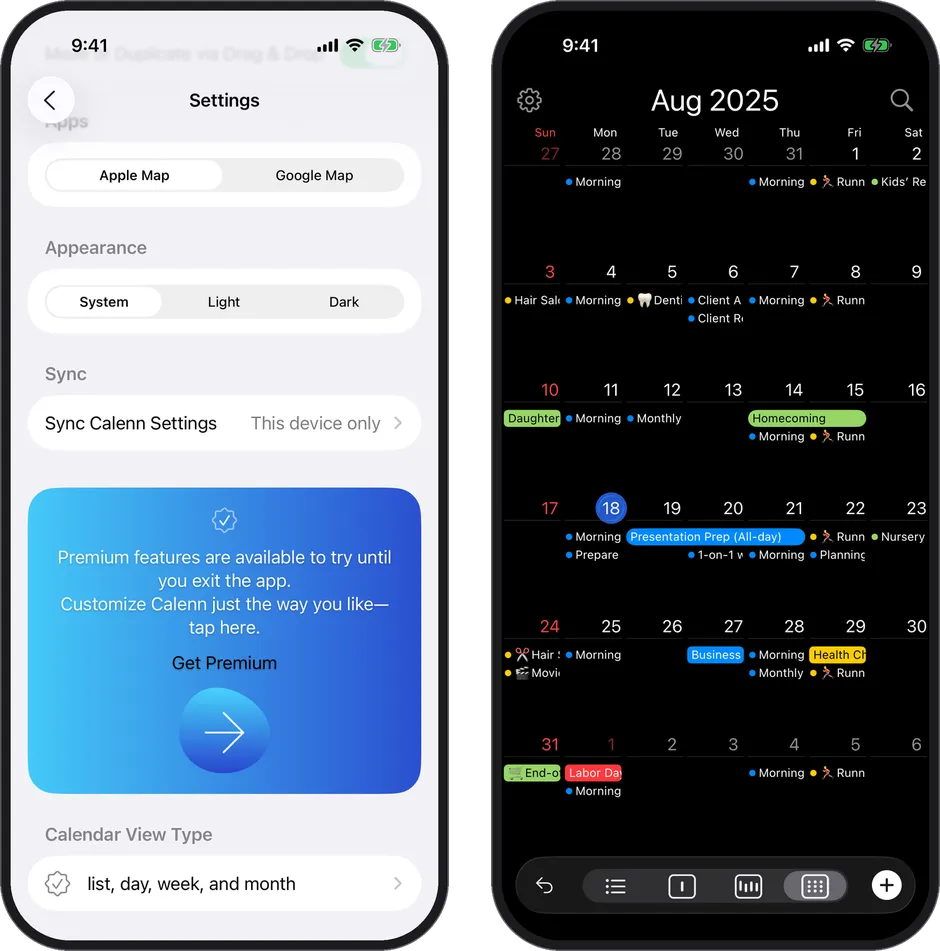
Adjust dark mode, color styles, and theme colors from [Appearance] in Settings.
The look of the app is set from [Appearance] in Settings.
Dark mode
- Choose from System / Light / Dark.
- With System, the app follows your iPhone’s setting and switches automatically.
- Dark keeps glare down, so it’s comfortable to use at night.
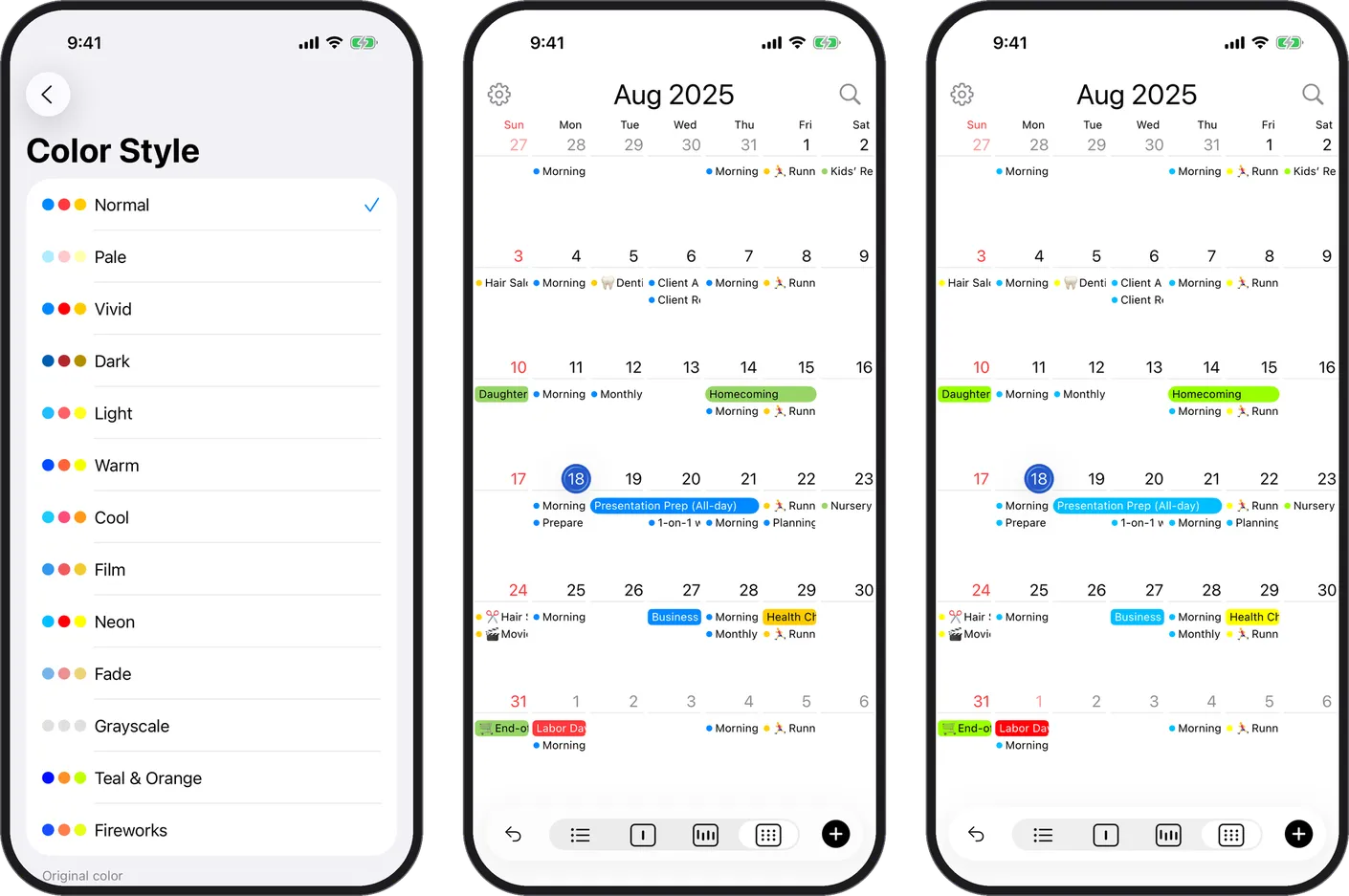
Color style
- Customize the colors of your events with a consistent look across the app.
- One tap changes the whole palette of the calendar for a cleaner feel.
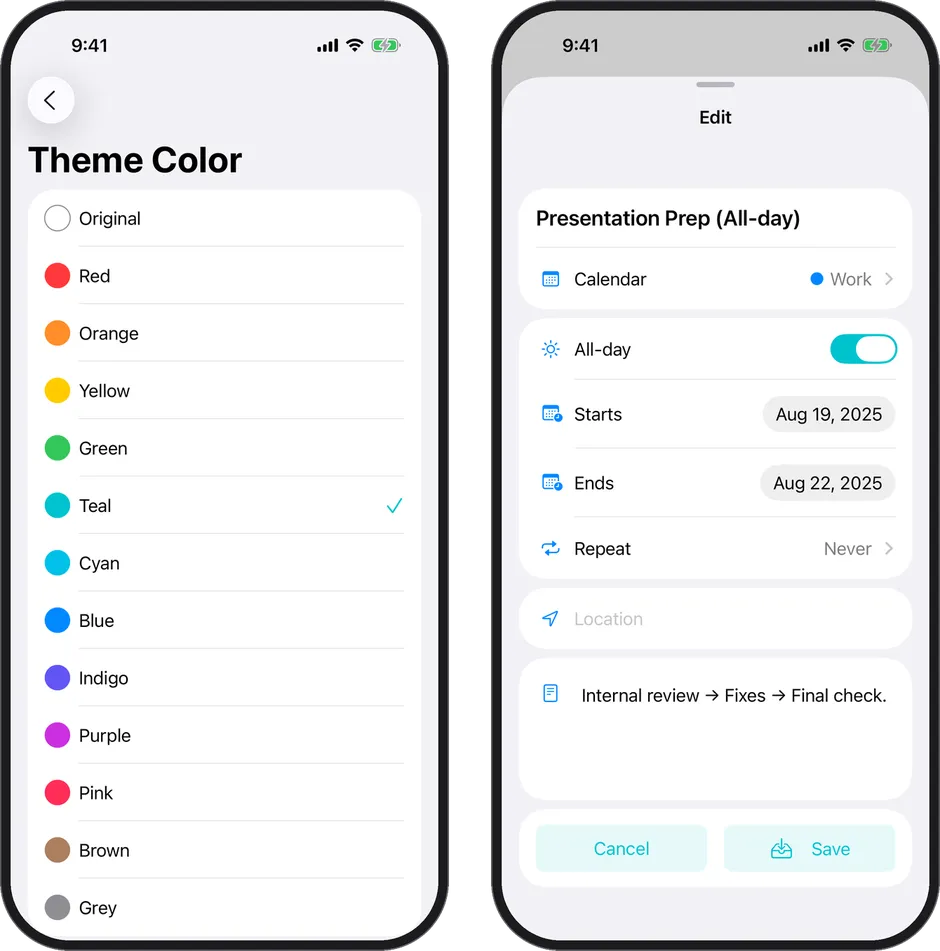
Theme color
- Choose the accent color and the color of buttons and other controls.
- It changes the overall mood of the app to match your taste.
Note
- Color styles and theme colors are Premium plan features.
- On the free plan, you can try them until you quit the app.