 Calenn
Switch view types
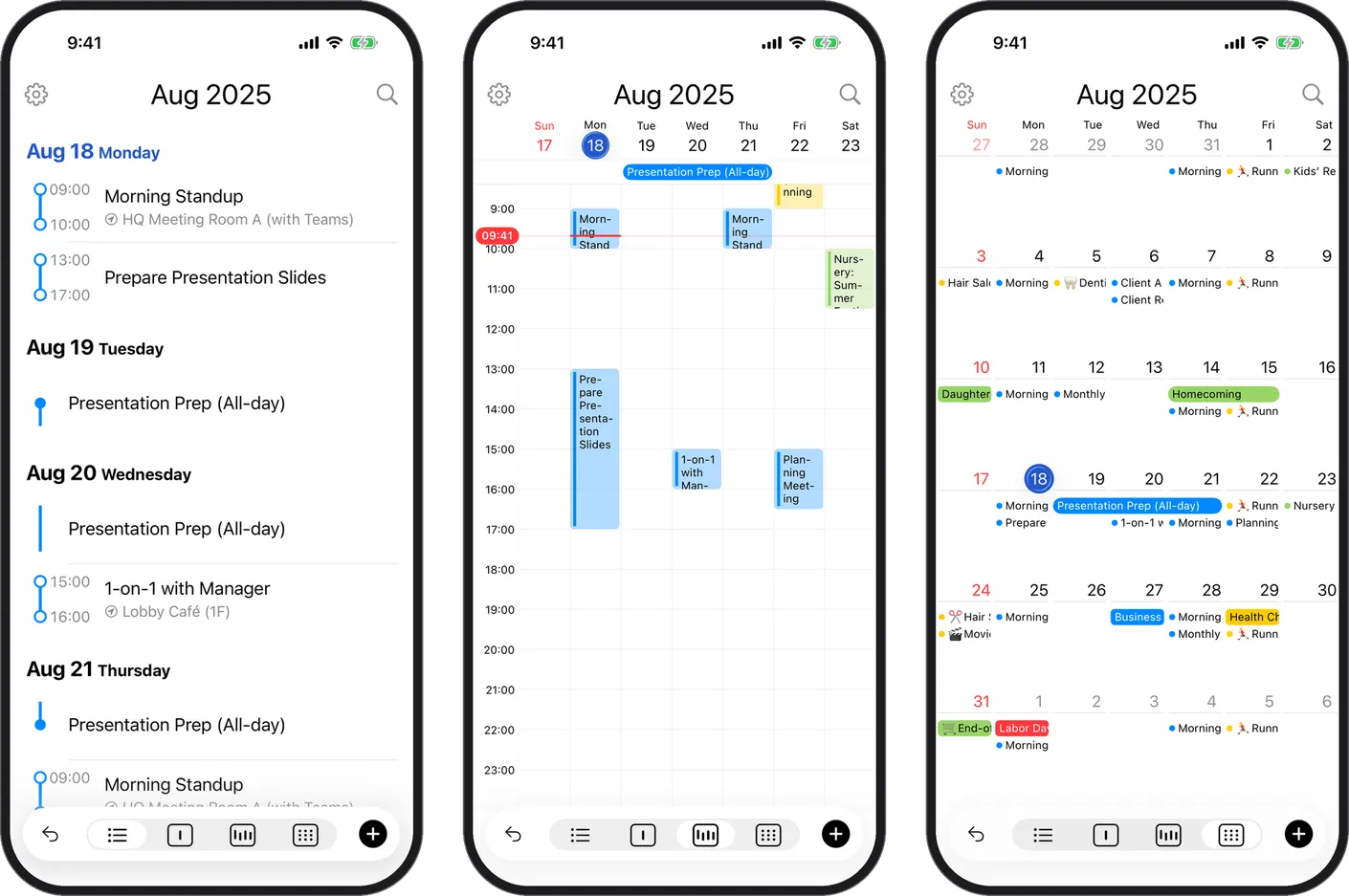
Select the calendar view type from the bottom of the screen, and customize the available types in Settings.
To switch the calendar view type, tap your desired option in the view selector at the bottom of the screen.
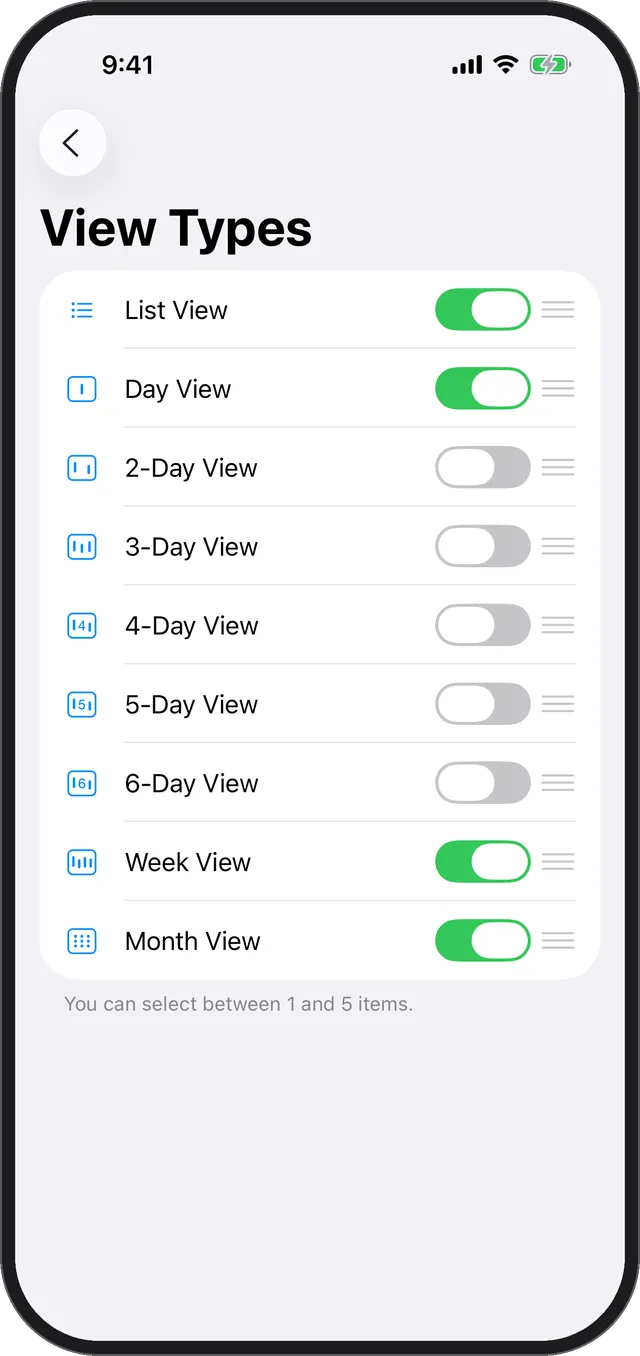
You can customize which view types are available from Settings.
Note
- The 2-, 3-, 4-, 5-, and 6-day views are Premium plan features.
- On the free plan, you can try them until you quit the app.