 Calenn
Show holiday calendars
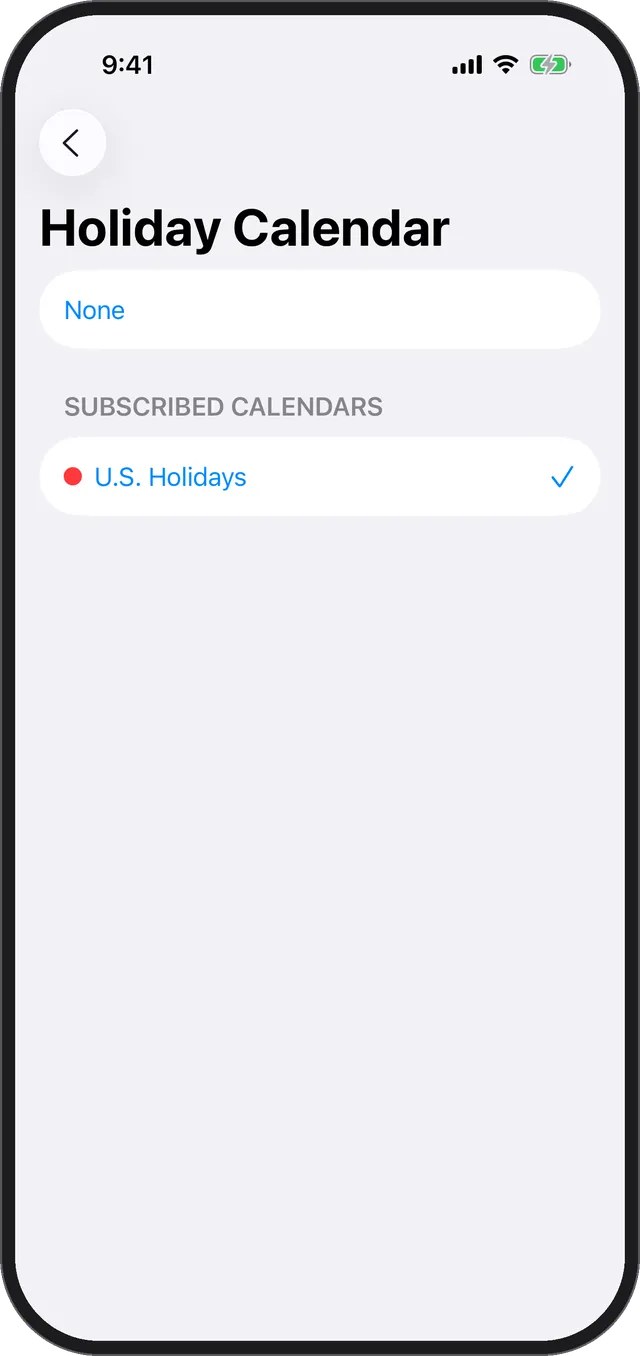
Pick the calendar you want treated as holidays in [Holiday Calendar], and those dates turn red.
Calenn uses the holiday calendars you are subscribed to on your iPhone.
Subscribe to the holiday calendar you want on your iPhone
If you aren’t subscribed to one yet, add it on the iPhone side first.In Calenn, open Settings → [Holiday Calendar]
All of your calendars are listed.Select the calendar you want treated as holidays
Days with an event on that calendar are shown as holidays, with the date in red.
If holidays don’t show up
- Check that a calendar is selected in Settings → [Holiday Calendar].
- If the holiday calendar you want isn’t in the list, you aren’t subscribed to it on your iPhone yet — set up the subscription there first.
Related
- For showing, hiding, and ordering your calendars, see Choose which calendars to show and Reorder your calendars.